
How to Translate Google Slides for Class & Students (Free AI Tool)
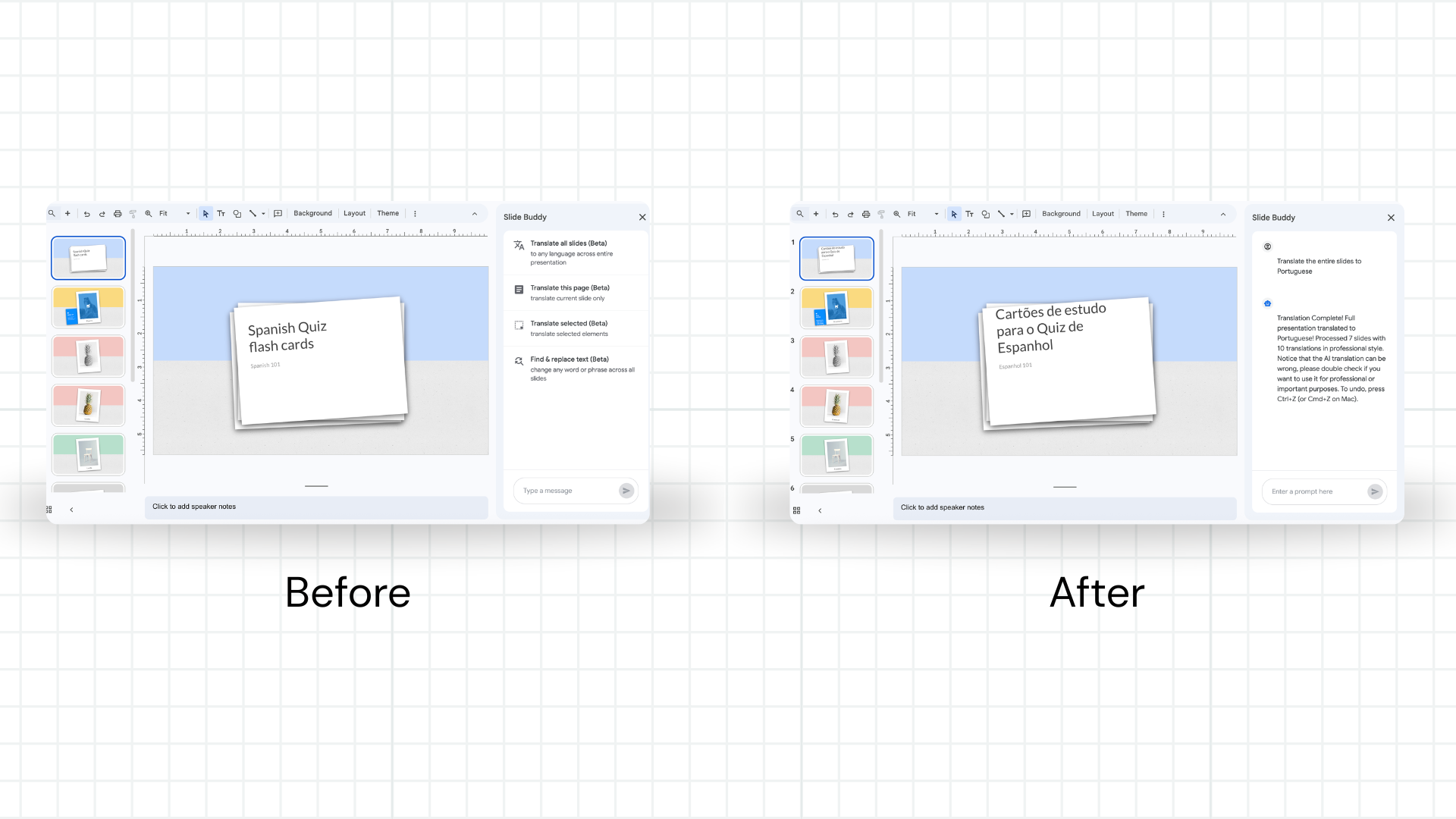
Professors, teachers, and instructors teaching in multilingual environments face a constant challenge: lecture slides are prepared in one language, but students speak another. Manually translating a 40-slide deck is hours of work — and the formatting always breaks.
Slide Buddy is a free AI-powered Google Slides add-on built for exactly this use case. University professors translating psychology and health education slides from English into Latin American Spanish, language instructors adapting curriculum into French or Arabic — Slide Buddy handles the translation in seconds while keeping every text box, font, and layout exactly where it was.
Who this guide is for
- ✓ University professors adapting English academic slides for non-English classrooms
- ✓ K-12 teachers creating multilingual classroom materials
- ✓ Language instructors building translated curricula
- ✓ Anyone presenting to students in a language different from their source materials
Step-by-Step: Translate Your Classroom Slides
Install Slide Buddy (free, 30 seconds)
Go to the Google Workspace Marketplace and install Slide Buddy. It's completely free — no subscription, no per-slide charges. Need help? See our add-on installation guide.
Duplicate your original deck
In Google Drive, right-click your presentation and select Make a copy. Always work on a copy — you'll want to keep the English original for future semesters or edits. This is especially important for academic slides that get updated each term.
Open Slide Buddy in your copy
Open the copied presentation. Click Extensions → Slide Buddy → Start. The Slide Buddy panel opens on the right side of your screen.
Select "All Slides" and choose your target language
Select All Slides to translate the entire deck at once. Choose your target language — Spanish, French, Arabic, Chinese, Portuguese, and 100+ more are supported. For tips on specific languages like Arabic (which uses right-to-left script), see our guide on RTL language translation.
Click Translate — your slides are done
Slide Buddy's AI engine, powered by Gemini, translates every text element in place. Fonts stay the same. Colors stay the same. Text boxes stay exactly where you put them. A 40-slide lecture deck that would take 3 hours to translate manually takes under a minute.
Translate speaker notes too (optional)
If you use speaker notes, Slide Buddy can translate those as well. This is particularly useful for educators who present in the target language and use notes as a reference. See the full guide on translating Google Slides speaker notes.
Most Common Classroom Translation Languages
Based on real usage data from Slide Buddy's 9,000+ users, educators most commonly translate into these languages:
| Language | Common Use Case | Notes |
|---|---|---|
| Spanish (Latin America) | University lectures — psychology, health education, STEM | Select "Spanish (Latin America)" for regional vocabulary |
| French | Bilingual schools, Francophone university programs | Works well for academic and technical content |
| Arabic | Middle East universities, international schools | RTL layout — review text alignment after translation |
| Portuguese (Brazil) | Brazilian universities, K-12 programs | High accuracy for academic terminology |
| Chinese (Simplified) | Mainland China campuses, dual-language programs | AI handles character rendering within existing text boxes |
Tips for Academic Slides
Keep technical terms consistent
Academic slides often include discipline-specific terminology (e.g., "epistemological", "homeostasis", "regression coefficient"). Slide Buddy's AI-powered engine preserves technical precision — but always do a quick read-through of specialized terminology after translation to confirm accuracy.
Watch for text expansion
Some languages (German, Finnish, Spanish) produce longer text than English. If text overflows a text box after translation, Slide Buddy preserves the box dimensions — you may need to reduce font size slightly on a few slides. This is faster than reformatting from scratch.
Create a master template for reuse
If you teach the same course in multiple languages across semesters, keep a clean English master. Each semester, make a copy and run Slide Buddy. Updates to the master take seconds to propagate to translated versions — no need to re-translate from scratch every term.
Translate speaker notes separately
Speaker notes contain your presentation script. Slide Buddy can translate them in the same pass as slide content. For language courses where notes are part of the curriculum, this saves significant time. Learn more in the speaker notes translation guide.
Frequently Asked Questions
Q: Is Slide Buddy free for educators?
A: Yes, completely free. Unlike other translation tools that charge per slide or per month, Slide Buddy is free for standard translation needs. There's no credit card required — just install from the Google Workspace Marketplace.
Q: Will it break my slide layout or images?
A: No. Slide Buddy only modifies text content — your images, diagrams, charts, backgrounds, and layout remain exactly as designed. This is the core advantage over copy-paste translation methods.
Q: Can I translate into multiple languages from the same deck?
A: Yes. Duplicate your English deck as many times as needed, then run Slide Buddy on each copy with a different target language. You can have Spanish, French, and Arabic versions of the same lecture ready in under 5 minutes.
Q: Does it work for presentations with lots of technical jargon?
A: Slide Buddy uses Gemini AI, which handles academic and technical language well. For highly specialized terminology, do a quick post-translation review on key slides. The time saved on layout and formatting still makes this dramatically faster than manual translation.
Q: How many languages does it support?
A: 100+ languages, covering virtually every language used in global education. See the full list in our guide on translating Google Slides to another language.
Ready to translate your lecture slides?
Free forever. No credit card. Works on any Google Slides deck.
Install Slide Buddy for FreeHave more questions about translating Google Slides? Check our comprehensive Google Slides Translation FAQ — 26 expert answers covering setup, formatting, languages, and troubleshooting.